Written by
Larissa McCarty
Published on
October 6, 2026
Blog Post
Product
You've seen the viral AI ads. Flawless visuals. Zero effort, supposedly.
Then you try to make one for a local advertiser with limited, poor-resolution assets. Instagram, meet reality.
We just shipped two features built for that reality and showcased them in our recent webinar. GenAI Suite turns the photos your advertisers already have into broadcast-ready images and video with three new AI tools. Project File Export sends any finished Waymark video to After Effects, fully layered and editable.
Both are live today. Here's what they do.
[Graphics from slide]
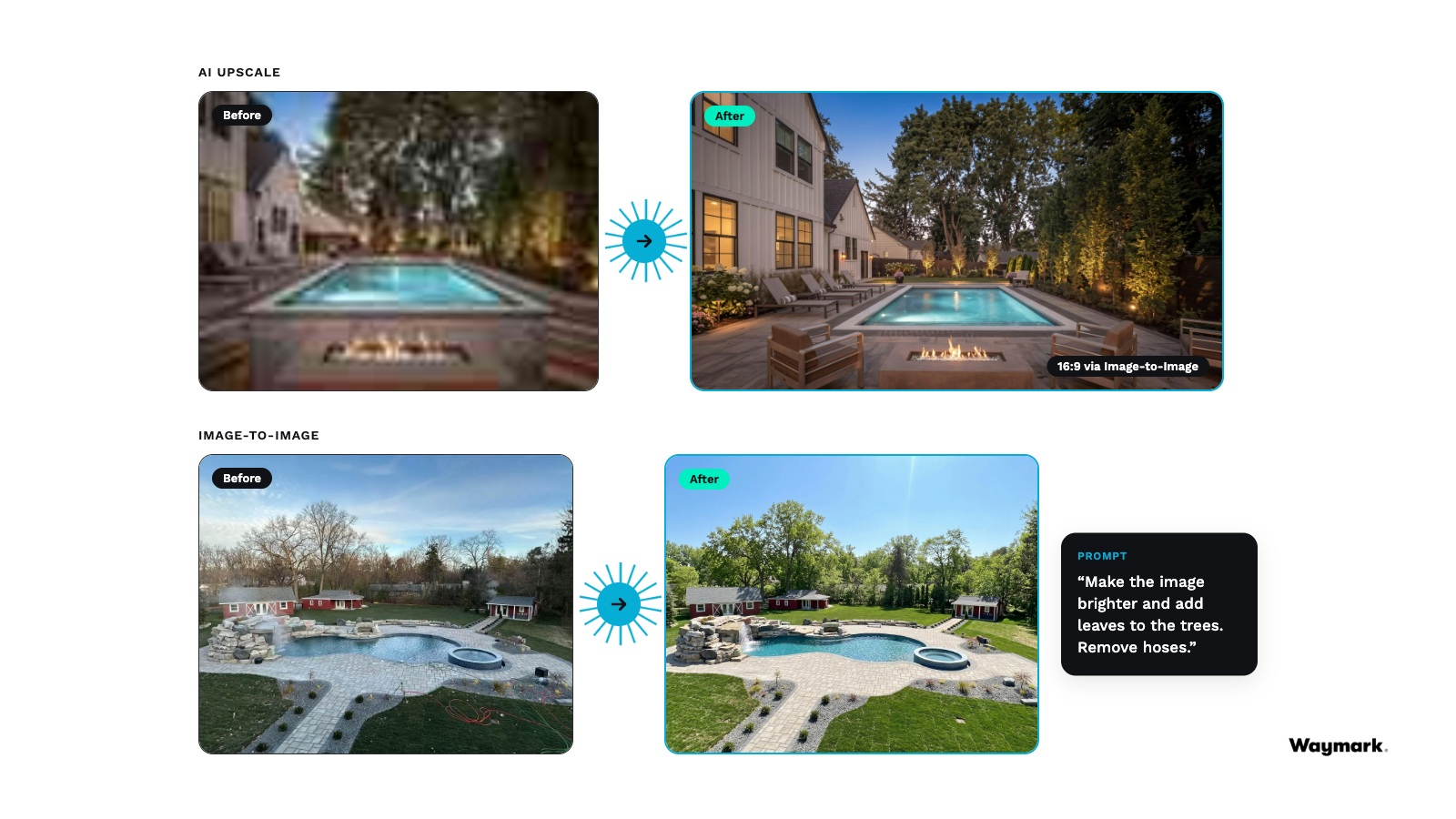
Most local advertisers don't have TV-ready assets. Low-res website images. A product shot on a plain white background. A few photos from the owner's phone. Bad assets in, bad ad out.
GenAI Suite fixes the input. You'll find it in the editor under AI Tools. Select an image, open the panel, and pick a tool.
You don't need to be a prompt engineer. Every tool works with one click and smart defaults. Want something specific? Type it in plain English.
Every tool starts from the advertiser's own image. Their products, their work, their brand. Just ready for TV.
Just put plain English in and get broadcast-ready creative out. These features are designed so that you don’t have to be a prompt engineer to use them.
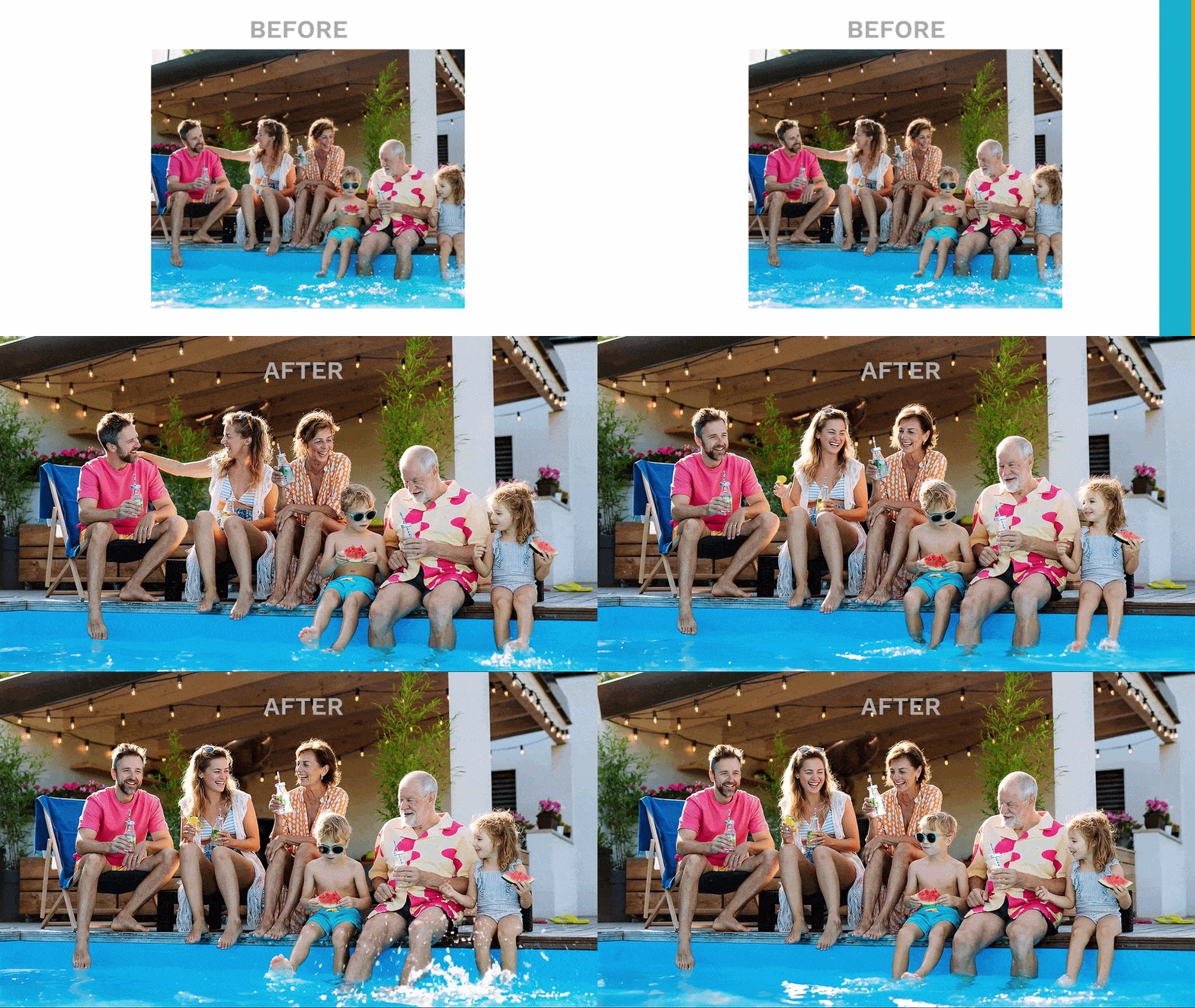
Here's how it plays out with a real advertiser: Silva Custom Design, a pool and landscaping company in metro Detroit that had never run TV.
The owner, Ed, had one request: show off the pool projects. And he had a few photos on his phone.
They weren't great. Before GenAI Suite, saying yes meant a weaker ad. Now it takes a few clicks.
Here's what GenAI Suite did with them:
A few minutes of work. One TV-ready spot. And a business with no footage just became a business you can pitch.
The tools also stack. Upscale a rough photo, give it a season change with Image-to-Image, then turn it into video. Our CEO, Alex Persky-Stern, put it best:
"You can go from a total nothing burger to a really, really nice looking clip in just three clicks."
Every rep has a list of accounts they've written off for thin content. GenAI Suite makes that list a lot shorter.
Back to Ed. His whole team loves the spot. He's ready to run it. But he has one more request: can there be a second version with a partner's logo?
As our creative team likes to say: there will be notes.
Those notes are usually small. But when we previewed Project File Export with partner leadership, every single one told us the same thing. If an ad is 90% there and the last 10% can't be changed, their creative team starts over. And the deal's momentum goes with it.
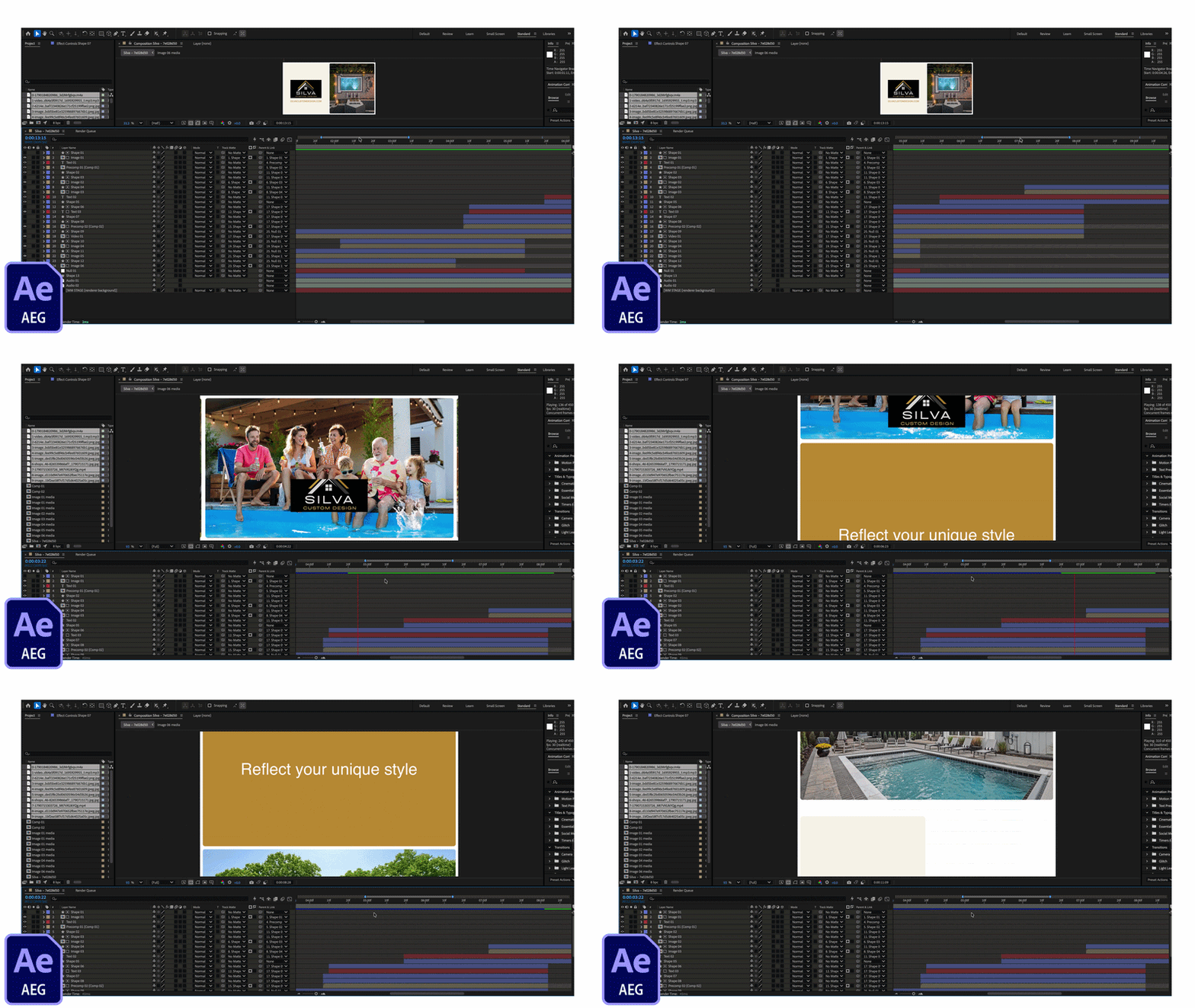
Project File Export ends the rebuild. Instead of downloading just a video, export your Waymark project as a layered, editable Adobe After Effects file. Your creative team can change text, move and resize anything, adjust the timeline, and rearrange scenes. The work already approved stays intact.
"You'll get the speed of Waymark and room to bring your own judgment and craft to the finish," said Stephen Parker, our Chief Creative Officer.
Getting the file takes three quick steps:
It's built for the editors who finish the work and the sellers who want to finally say “yes!” to edit requests.
And it keeps clients coming back. A second location, a seasonal offer, a partner logo. Each one starts from a spot the client already approved, so the next buy is an easy yes.
Both features are available today, with no upfront cost to turn them on. They run on the credits already in your Waymark contract.
Reach out to your CSM to get access for your team.
To view tutorials and read more details about the new features, visit the help center.
For non-Waymark customers, contact us to get started.
Watch the Better Creative, Better Results webinar on-demand. See these new features in action!
Get Started
With our instant setup and easy-to-use tools, the only thing you’ll miss is the frustration of traditional ad production.


